OBD-II PID
Your app asks for a value, such as engine speed, and the ECU replies if supported. Service 01 requests current data; PID 0C selects engine RPM.
02 / ELM327
A guide to generic ELM327-style OBD-II adapters, common live-data requests and how PID polling differs from raw CAN logging.
See example PIDs →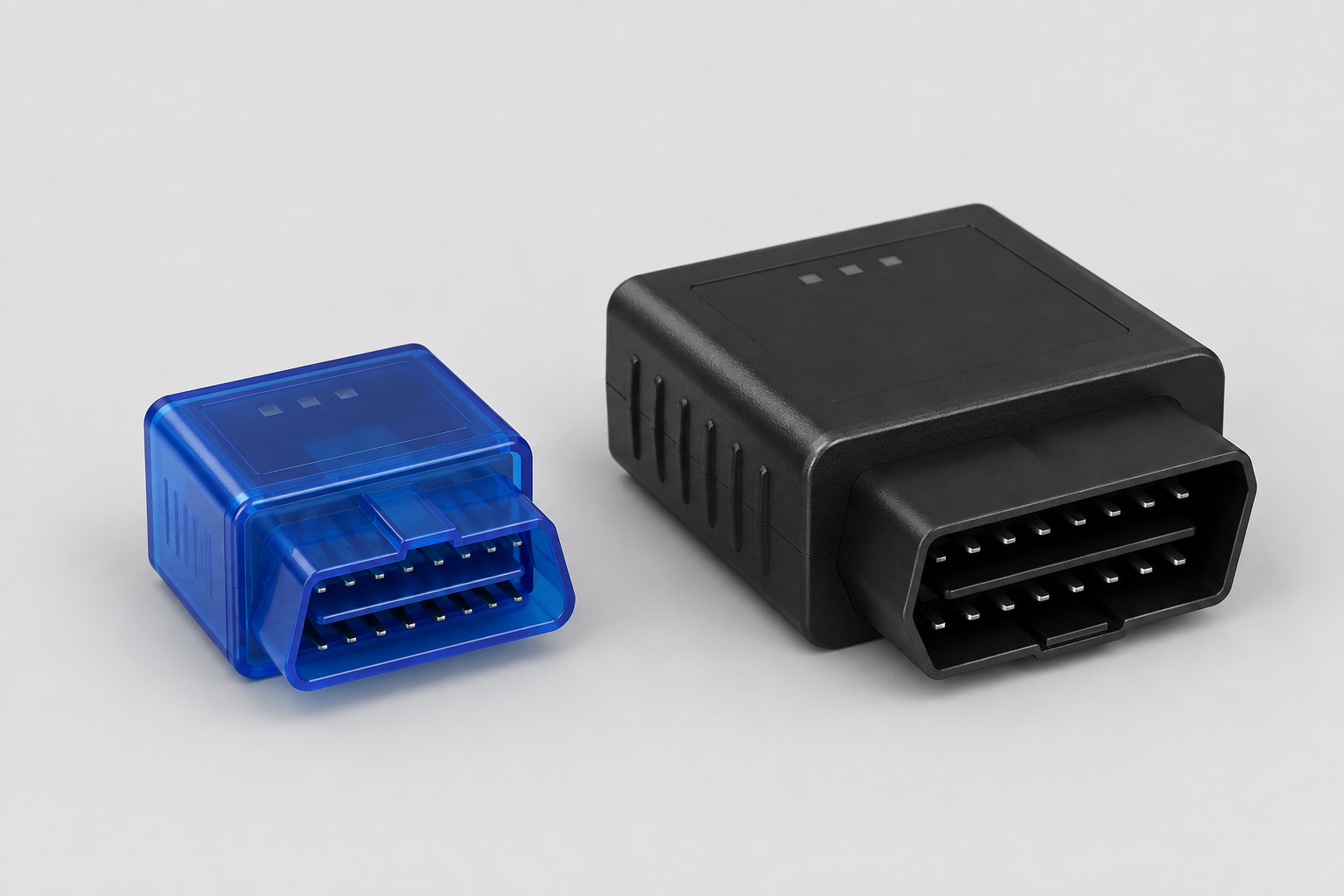
The ELM327 translates commands from a host into supported vehicle diagnostic protocols. A finished adapter adds the connector, electronics and a phone or computer connection. The two generic designs pictured here are illustrations, not tested products or buying recommendations.
Check the exact adapter, vehicle and recording app together. An “ELM327” label alone does not establish wireless compatibility, genuine firmware or a reliable logging rate. ELM Electronics technical reference (PDF).
A PID identifies a requested parameter. CAN is a communication bus: OBD-II requests can travel over it, but a PID is not a CAN message identifier.
Your app asks for a value, such as engine speed, and the ECU replies if supported. Service 01 requests current data; PID 0C selects engine RPM.
A CAN logger can listen for broadcast messages. Turning their bytes into channels needs the correct vehicle-specific definitions, including identifiers, byte positions and scaling.
Entering a CAN identifier into an OBD PID field does not make it a diagnostic request. App support, adapter capability and the vehicle gateway determine what is accessible.
See the RaceChrono developer explanation of custom PIDs and CAN messages.
Service 01 examples. Requests and replies below are hexadecimal, with transport headers omitted. A and B are the returned data bytes converted to decimal; examples are illustrative.
| Channel | Request | Example reply | Decode | Result |
|---|---|---|---|---|
| Engine RPM | 01 0C | 41 0C 1A F8 | (256 × A + B) / 4 | 1,726 rpm |
| Vehicle speed | 01 0D | 41 0D 64 | A | 100 km/h |
| Coolant temperature | 01 05 | 41 05 7B | A − 40 | 83 °C |
| Intake air temperature | 01 0F | 41 0F 41 | A − 40 | 25 °C |
| Throttle position | 01 11 | 41 11 80 | 100 × A / 255 | 50.2% |
Formulas: CSS Electronics PID reference. Throttle position is not necessarily accelerator-pedal position.
01 00 requests the support bitmap for PIDs 01–20. A defined PID is not a promise that your vehicle supplies it. Manufacturer-specific channels need definitions for the correct vehicle and ECU.Start with a small number of supported channels and check the recorded result before adding more.
Confirm that your app supports the adapter's actual Bluetooth, BLE, Wi-Fi or USB connection. Let the app initialise the adapter; use its connection test before recording.
Polling bandwidth is shared. Give rapidly changing channels priority and read temperatures less often where the app supports it. There is no universal sample rate for generic adapters.
For a custom channel, confirm the request, ECU header, response bytes, equation and units. A plausible-looking number is not proof that the definition is correct.
Settings reference: custom OBD-II channels, fast/slow polling and connection testing.
Existing external discussions. Vehicle-specific settings are examples to investigate, not universal configurations.
A developer walkthrough of headers, requests, equations and vehicle profiles.
Read the settings discussion ↗A DIY logger discussion covering CAN access and the distinction from requested OBD channels.
Read the CAN discussion ↗Share your vehicle, app, adapter and the channel you are trying to record. Browse freely; Google sign-in is needed to post.
Open our forum →